

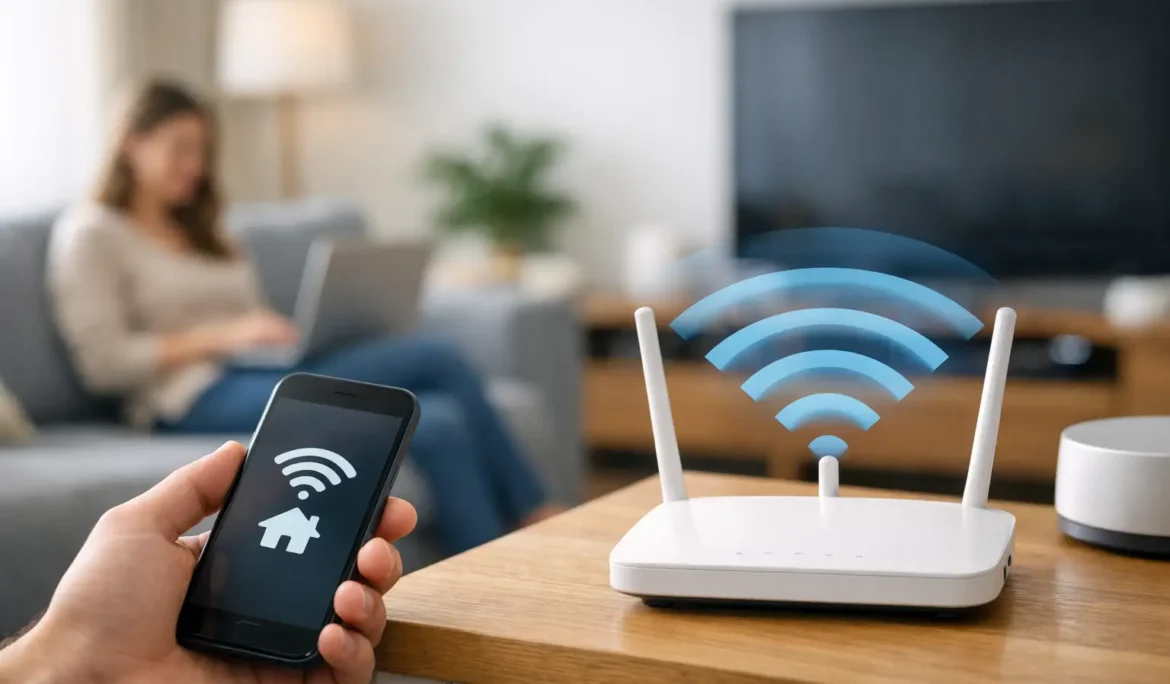
A movie buffers right as the lights dim, the video doorbell drops offline at the front walk, and the upstairs office somehow has one bar on a good day. That is usually the moment homeowners start asking how to improve home wifi coverage – not because they want better specs, but because they want the house to work the way it should.
The good news is that weak Wi-Fi is often fixable. The less convenient truth is that there is no single fix for every home. Coverage problems can come from layout, materials, device load, poor equipment placement, or simply using hardware that was never designed for the size and demands of the property. The right answer depends on what your home is made of, how you use it, and how much reliability you expect from your network.
Why home Wi-Fi coverage breaks down
Most Wi-Fi problems are not really speed problems. They are coverage and consistency problems. A plan may deliver plenty of internet to the house, but that does not mean the signal reaches every room with enough strength to support streaming, video calls, gaming, security cameras, and smart home devices all at once.
Distance is the obvious issue, but construction matters just as much. Brick, stone, tile, concrete, radiant floor systems, metal framing, mirrors, and large appliances can all weaken wireless signals. Even beautifully designed homes can create networking trouble spots, especially when the router ends up tucked in a basement corner or hidden inside cabinetry.
Then there is device density. Many households now run dozens of connected devices without thinking twice about it. TVs, phones, tablets, thermostats, speakers, lighting controls, cameras, game consoles, laptops, and appliances all share the same wireless environment. A network that felt fine five years ago may now be overloaded.
How to improve home WiFi coverage without guessing
The first step is to stop treating Wi-Fi like a mystery. If certain rooms always struggle, patterns usually tell you where the problem starts. Maybe the signal drops only on the far side of the house. Maybe performance tanks at night when everyone is streaming. Maybe outdoor coverage disappears the moment you step onto the patio. Each scenario points to a different solution.
Start by testing your connection in several places throughout the home. Check the rooms where service feels unreliable, not just the room where the router sits. If speed and stability are strong near the router but poor elsewhere, the issue is almost certainly coverage. If performance is poor everywhere, your bottleneck may be the incoming service, the router itself, or an aging modem.
Router placement matters more than most people think
If your router is buried in a mechanical room, behind a TV, inside a closet, or at one end of the home, you are making Wi-Fi work harder than it should. Wireless signals spread outward, so central placement usually gives you better overall reach. Elevation also helps. A router placed higher and in the open often performs better than one sitting low behind furniture.
That said, “put it in the middle of the house” is not always practical. Some homes have structured wiring panels in poor locations. Others have design priorities that make visible equipment undesirable. In those cases, the solution is not to accept bad Wi-Fi. It is to design a network that accounts for the home instead of forcing the home to accommodate the network.
Know when a single router is not enough
One of the most common mistakes is trying to cover a larger or more complex home with one wireless device. That approach may work in a small apartment. It usually falls apart in multi-story homes, long ranch layouts, properties with finished basements, or homes with outdoor living areas.
If you are serious about how to improve home wifi coverage, this is where distributed Wi-Fi comes in. Instead of relying on one router to do everything, a properly designed system uses multiple access points placed in strategic locations throughout the home. That creates more even coverage, stronger signal strength, and better performance as you move from room to room.
This is also where homeowners often get tripped up by off-the-shelf extenders.
Extenders, mesh, and access points – what actually works?
Wi-Fi extenders can help in some situations, but they are often a compromise. They typically rebroadcast an existing wireless signal, which means they can also repeat its weaknesses. In smaller homes with one isolated dead zone, an extender may provide a useful improvement. In larger homes or homes with heavier device loads, they often add inconsistency rather than solving it.
Mesh systems are usually a better option than basic extenders for mainstream residential use. They are designed to create one network across multiple nodes, which can improve coverage and make roaming easier. For many households, mesh is a solid step up from a single router.
Still, mesh is not automatically the best answer. Wireless mesh nodes depend on communication between each other, so placement is critical. If the signal between nodes is weak, performance suffers. In homes with challenging construction or high expectations for streaming, gaming, remote work, and smart home reliability, hardwired wireless access points are often the stronger long-term solution.
A professionally designed access point system is different from simply adding more gadgets. The placement, signal overlap, and handoff between devices all need to be planned correctly. Too few access points leave gaps. Too many, or poorly placed ones, can create interference and hurt performance.
Don’t overlook the wired side of the network
When homeowners ask how to improve home wifi coverage, they are usually focused on wireless hardware. But strong Wi-Fi often depends on a strong wired backbone. If access points are connected with network cabling rather than talking to each other wirelessly, they can deliver more stable performance and support more demanding applications.
This matters even more in homes with dedicated media rooms, whole-home audio, security systems, and integrated smart home platforms. The network is not just supporting web browsing. It is carrying the daily experience of the house. That is why well-designed systems often combine wired infrastructure with carefully placed wireless coverage, instead of asking Wi-Fi alone to carry the entire load.
Common issues that make coverage worse
Interference is easy to underestimate. Nearby networks, certain electronics, and even poor channel management can create congestion. In neighborhoods with dense housing, multiple overlapping networks may compete for the same airspace. That can make Wi-Fi feel unstable even when signal strength looks decent.
Older hardware can also be the culprit. Routers do not last forever, especially when the number of devices in the home keeps climbing. If your equipment is several generations old, upgrading may deliver a noticeable improvement, but only if the replacement is appropriate for the home. More expensive does not always mean better. Better design is what matters.
Another issue is treating every device equally. Some devices benefit from wired connections whenever possible. TVs, gaming consoles, desktop computers, and media servers often perform better when hardwired, which also frees up wireless capacity for mobile devices and smart home products.
When DIY fixes stop being worth it
There is a point where moving the router, restarting equipment, and adding consumer-grade boosters becomes more frustrating than productive. That point usually arrives in homes where coverage needs extend beyond a basic internet connection. If you want reliable service in a home office, consistent streaming in multiple rooms, dependable smart home control, and outdoor connectivity, the network needs to be planned as part of the home environment.
That does not mean every house needs a complicated setup. It means the solution should match the architecture, the lifestyle, and the expectations of the homeowner. In many cases, the fastest route to better results is having the network assessed properly so weak points can be identified and corrected with a cohesive design.
For homeowners in New Jersey and New York investing in connected living, that level of planning is often the difference between a network that technically works and one that feels effortless to use. Companies like Cine Acoustic approach Wi-Fi as part of the broader technology ecosystem of the home, which is exactly how it should be treated when reliability matters.
How to improve home WiFi coverage for the long term
The most effective upgrades are the ones that solve today’s issues without creating tomorrow’s headaches. That may mean repositioning equipment, replacing outdated hardware, adding a mesh system, installing properly located access points, or shifting key devices onto wired connections. It depends on the home.
What should stay consistent is the goal: broad coverage, stable performance, and a network that supports the way you actually live. Good Wi-Fi should not require constant troubleshooting or force family members to remember which room gets the best signal. It should quietly support entertainment, work, comfort, and control throughout the property.
If your Wi-Fi only works well when you are standing near the router, the problem is not your expectations. The problem is the design. And once the design is right, the whole house starts to feel easier.