

A video wall can become the visual center of a lobby, conference room, retail space, showroom, or hospitality venue. But a commercial video wall installation is not simply a matter of placing several large displays next to one another. The difference between a wall that impresses visitors and one that becomes a daily frustration is determined long before the screens turn on.
The right system should present clear, coordinated content, fit the architecture of the space, and remain easy for staff to operate. It also needs to account for viewing distance, ambient light, mounting conditions, cable management, network access, and future service needs. A thoughtful plan brings those details together so the technology supports the business rather than demanding constant attention.
Start With the Experience You Want to Create
Every successful video wall begins with a purpose. A reception area may need a polished digital welcome display that reinforces a brand. A conference room may need to show presentations, video calls, dashboards, and multiple sources at once. In a retail or entertainment setting, the priority may be motion, color, and content that holds attention from across the room.
That purpose affects nearly every design choice. A wall intended for close viewing needs a different pixel pitch and display arrangement than one viewed from a large open floor. A display wall running business hours has different requirements than one operating around the clock. Rather than choosing screens first, define what people should see, where they will stand, who will control the system, and how frequently content will change.
This conversation also identifies practical questions early. Will the wall show one large image or several independent zones? Does the content come from local devices, a media player, a conferencing system, or a central network? Should a receptionist be able to change sources with one button? Clear answers prevent a sophisticated system from feeling complicated once the space is occupied.
Select the Right Display Technology
Most commercial video walls use either direct-view LED or tiled commercial displays. Both can produce compelling results, but each is better suited to certain environments.
Direct-view LED walls are made from modular LED panels. They can be built in custom sizes and shapes, with minimal visible separation between panels. They are a strong choice for large-format displays, high-impact branding, and installations where viewers will be farther away. Pixel pitch is especially important here. A finer pixel pitch improves detail for closer viewing, while a larger pitch can be appropriate when the audience is at a greater distance.
Tiled commercial displays, often LCD-based, use purpose-built panels designed with narrow bezels. They work well when the wall needs crisp detail, defined screen sizes, and a familiar display format. Their visible bezel lines are much smaller than consumer television frames, but they are still part of the visual result. For applications involving spreadsheets, camera feeds, or detailed presentation content, these panels can be an excellent fit.
Brightness deserves equal attention. A wall near large windows or strong overhead lighting needs enough output to remain readable throughout the day. Increasing brightness is not always the answer, however. Excessive brightness in a dim conference room can create eye fatigue. The goal is a balanced image that looks intentional in the room’s actual lighting conditions.
Do Not Treat Consumer TVs as Video-Wall Components
Consumer televisions may appear similar at first glance, but they are rarely designed for the demands of a professional installation. Commercial displays are built for extended operating schedules, controlled orientation, consistent color performance, and serviceability. They also offer the mounting and connectivity options needed to create a reliable multi-screen system.
Choosing commercial-grade equipment protects the appearance of the wall and helps avoid mismatched brightness, uneven wear, and preventable downtime.
Design the Wall Around the Room
A video wall should feel integrated with its surroundings, not attached as an afterthought. The available wall structure, finished surfaces, nearby doors, furniture placement, sightlines, and ceiling height all influence the design.
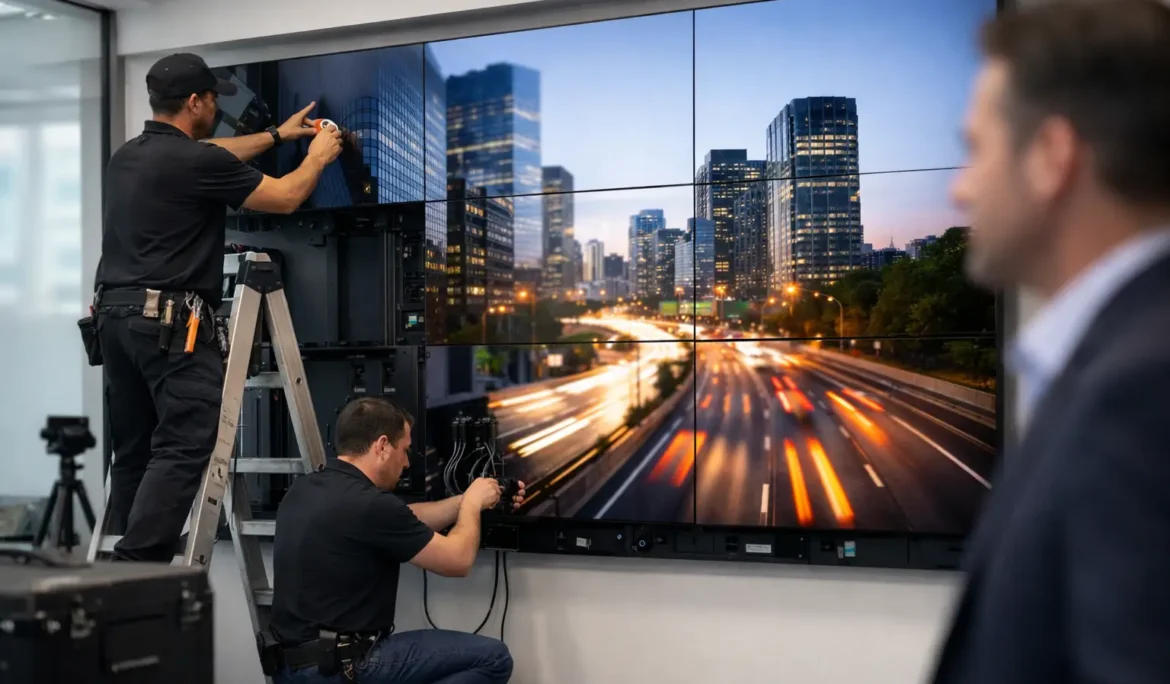
Mounting is a critical part of this process. The supporting surface must safely carry the combined weight of the displays, mount, and related hardware. Precision matters because even a slight misalignment becomes obvious when several screens are joined together. Professional mounting systems allow installers to make fine adjustments so panel edges align cleanly and the finished wall appears intentional from every viewing angle.
Cable routing should be planned before the wall is closed or finished. Visible wiring can undermine an otherwise premium installation, while inaccessible wiring can make future service unnecessarily disruptive. A properly designed system provides organized pathways for power, video, control, and network connections. It also allows appropriate ventilation so displays and processing equipment can operate within their intended temperature range.
For new construction and renovations, involving the technology team alongside the architect, designer, and electrician makes a meaningful difference. It gives everyone the opportunity to coordinate power locations, backing, conduit, equipment storage, and wall finishes before the details become costly to change.
Make Content and Control Simple
A striking display is only valuable when the right content appears at the right time. That is why content delivery and control deserve as much planning as the physical wall.
Some businesses need a straightforward setup that shows a single branded loop or digital signage feed. Others need multiple sources, including presentations, security camera views, live television, video conferencing, or event content. A video processor can organize these sources into layouts that fit the wall, allowing one large image, side-by-side content, or customized zones across the display.
The best interface is usually the one staff barely have to think about. Instead of requiring someone to manage several remotes, inputs, and settings, the system can be configured with simple controls for common tasks. A labeled touchscreen, wall keypad, or dedicated control interface can make it easy to select a meeting mode, launch a presentation source, or return the wall to everyday signage.
Control should also consider what happens when no one is actively managing the room. Scheduled startup and shutdown, default content, and automatic input behavior help maintain a professional appearance. These details reduce the chance of a blank screen, an incorrect source, or a confusing menu appearing in front of clients or guests.
Plan for Network Reliability and Service Access
Modern video walls often rely on a network for content, monitoring, updates, and remote support. A weak or poorly planned network can interrupt playback, delay control commands, or make troubleshooting harder than it should be. The wall should be incorporated into the larger network plan with dependable wired connections where appropriate, organized equipment placement, and room for future expansion.
Service access is another detail that separates a polished installation from a difficult one. Displays, processors, and power components should be reachable without requiring major demolition or disruption. The right mount, equipment cabinet, and cable strategy make it possible to inspect or replace components efficiently if the need arises.
There is no single ideal configuration for every project. A compact conference room may benefit from a tiled display wall with simple presentation control. A large public-facing space may call for a custom LED wall, centralized content management, and a layout designed for long-distance visibility. The correct solution depends on the room, the audience, and how the business intends to use the wall day after day.
Work With a Team That Designs Beyond the Screens
Commercial video wall installation requires coordination across display technology, structural mounting, power, networking, content sources, and user control. When those elements are handled separately, compatibility gaps and usability issues can surface after the project is complete.
Cine Acoustic approaches video wall projects as complete technology environments. The process starts with how the space will be used, then develops a system that fits the room, the content, and the people operating it. The objective is not simply an impressive wall of screens. It is a dependable visual experience that feels appropriate to the business and remains straightforward for staff.
A well-designed video wall should make a room feel more capable from the moment it turns on. With the right planning, it can communicate clearly, support better meetings, reinforce a brand, and deliver a professional first impression without adding complexity to the workday.