

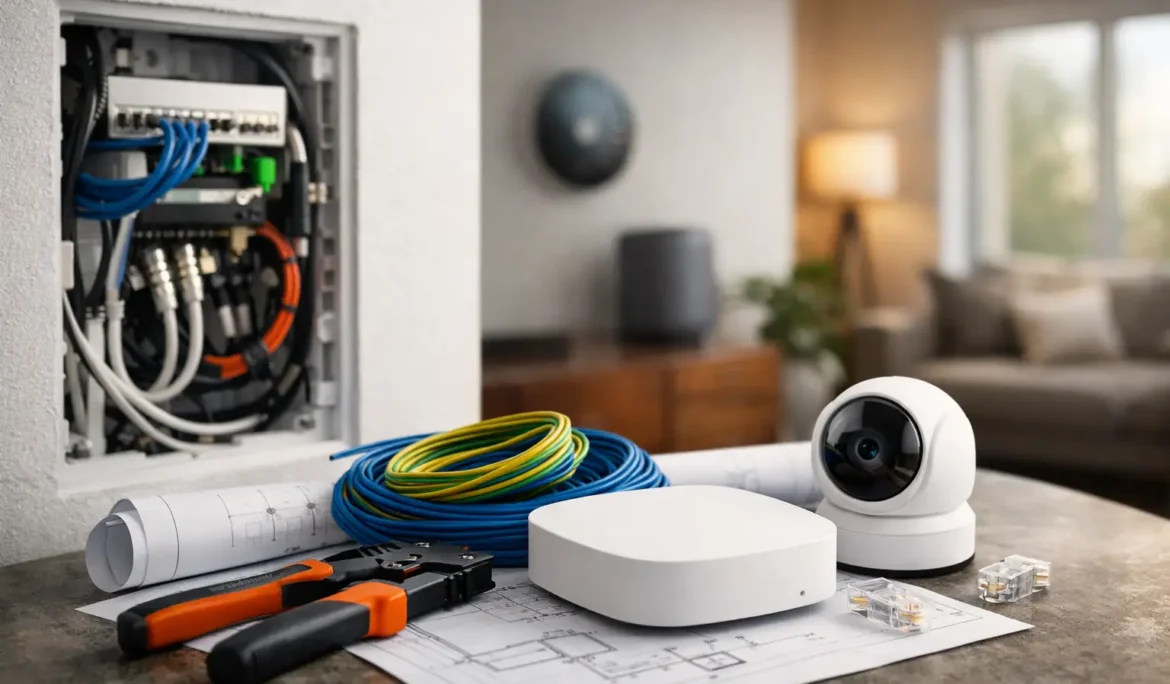
A beautiful renovation can lose much of its impact when the television has visible wires, Wi-Fi drops in the bedroom, or smart shades have no practical power path. The best time to prevent those frustrations is before drywall, millwork, and finished ceilings make changes difficult. This smart home wiring guide focuses on the infrastructure that lets technology feel simple, dependable, and appropriately discreet.
For a new home or major renovation, wiring is not about filling every wall with cable. It is about making intentional decisions around how your family will entertain, work, relax, and use each room over time. A well-designed plan gives you flexibility without turning the home into a collection of complicated devices.
Start With the Lifestyle, Not the Equipment
Before selecting a control platform, speakers, televisions, or access points, walk through the home as it will actually be used. A media room has different needs than a kitchen, a home office, or a covered patio. The goal is to identify the experiences that matter: movie nights, whole-house music, dependable video calls, automated lighting scenes, or a television that disappears when it is off.
This step also helps avoid a common mistake: planning only for the rooms that are being furnished immediately. A guest room may later become an office. A basement may become a theater. A blank wall may eventually hold a large display, mirror TV, or motorized shade. Prewiring creates options while the structure is accessible.
For design-conscious homes, technology planning should happen early enough to coordinate with the architect, interior designer, builder, electrician, and millwork team. Speaker locations, recessed display boxes, shade pockets, keypad positions, and equipment ventilation all benefit from early coordination. The result is a more polished space because the technology supports the design instead of competing with it.
Smart Home Wiring Guide: Build Around a Central Equipment Location
Most reliable smart homes have a central location where network gear, control equipment, audio distribution, video sources, and supporting components can be organized and serviced. This might be a dedicated equipment room, a conditioned closet, or another accessible area with adequate power and ventilation.
Avoid treating this space as an afterthought. The equipment that supports your Wi-Fi, streaming, security-connected devices, whole-home audio, and automation needs room to operate properly. It also needs to remain accessible for maintenance and future additions. A cramped closet shared with cleaning supplies is rarely a good long-term answer.
From this central location, structured cabling runs outward in a home-run layout. In simple terms, each wire returns individually to the central point rather than being chained from room to room. This approach makes troubleshooting easier and gives the system more flexibility as needs change.
A thoughtful equipment location should account for several practical details:
- Dedicated electrical capacity and appropriate surge protection
- Cooling and ventilation for heat-producing equipment
- Space for organized cable management and service access
- Pathways for future cables, including conduit where practical
The precise requirements depend on the size of the home and the systems being planned. What matters is creating an organized foundation rather than hiding essential components wherever space happens to be available.
Prioritize a Wired Network Backbone
Wireless technology is essential, but it performs best when supported by a wired network. Wi-Fi access points still need a reliable connection back to the network, and many stationary devices perform better with a hardwired Ethernet connection.
Category cable, commonly Cat6 or Cat6A depending on the project, is the workhorse of modern home infrastructure. It can support wired network connections for televisions, streaming devices, computers, gaming systems, wireless access points, touchscreens, and many smart home components. In the right locations, it can also carry power along with data through Power over Ethernet, reducing the need for a nearby outlet.
Plan network cable runs to television locations, offices, wireless access point locations, equipment areas, and any room likely to support high-bandwidth entertainment or work. Outdoor living spaces are often overlooked, even though patios, pool areas, and detached structures may benefit from strong Wi-Fi and networked entertainment.
Wi-Fi coverage should be designed, not guessed. Large homes, stone walls, metal finishes, radiant heating, and dense insulation can all affect signal performance. A ceiling-mounted access point placed intentionally is far more dependable than hoping one router in a corner of the house will cover every floor.
Plan Television and Entertainment Wiring Carefully
A television wall often looks simple after installation, but the wall behind it may need to support power, data, video connections, audio, and a clean pathway for future upgrades. Running only one cable to a display can limit options later, especially if sources and equipment are located elsewhere.
For a dedicated theater or media room, prewiring should reflect the intended experience. Surround sound or Dolby Atmos systems require carefully planned speaker wire runs. Projector locations may need video, network, control, and power coordination. Equipment placement should also consider ventilation, acoustics, and convenient service access.
Whole-house audio benefits from a similarly deliberate approach. Speaker wire should be run to the rooms and outdoor areas where music will genuinely be enjoyed, with speaker placement coordinated around lighting, ceiling details, and furnishings. Good coverage is not simply about adding more speakers. It is about balanced sound at comfortable volume levels.
For video distribution, the right approach depends on how many displays you want to use and how independently each room should operate. A professional design can help prevent the frustrating mix of remotes, streaming logins, and unreliable signal paths that often develops when systems are added one device at a time.
Make Lighting, Shades, and Control Part of the Electrical Plan
Smart lighting and motorized shades are among the most noticeable upgrades in a connected home because they improve daily comfort without demanding attention. They can also be difficult to integrate elegantly if they are considered after electrical rough-in and window treatments have been finalized.
Lighting control keypads should be planned around how people enter, leave, and move through a space. A single well-located keypad can replace a crowded bank of switches and make lighting scenes easy to use for entertaining, relaxing, or bedtime. The wiring requirements vary by system, so coordination before rough-in is essential.
Motorized shades require equal attention. Some use low-voltage wiring, while others may use different power approaches. Window size, fabric selection, pocket depth, fascia details, and access for service all influence the design. Planning early makes it easier to preserve clean sightlines and avoid visible power solutions later.
Control wiring and network connections may also be useful at locations for touchscreens, keypads, and other fixed interfaces. Even if you prefer app control, a dedicated physical control at the right location remains valuable when a phone is charging, unavailable, or simply inconvenient.
Leave Room for Change
No one can predict every technology choice you will make in ten years. That is why pathways matter as much as the cables themselves. Conduit, pull strings, accessible routes, and extra capacity at the equipment location make upgrades far less disruptive.
It is wise to prewire strategic locations that may not be active on day one. Examples include future cameras, gate or entry locations, a home office, a garage, a backyard entertaining zone, and alternate television walls. The goal is not to overbuild every inch of the property. It is to identify the places where opening walls later would be especially inconvenient.
Labeling is another small decision with major long-term value. Every cable should be clearly identified at both ends and documented. This makes future service, additions, and troubleshooting faster for everyone involved.
Coordinate the Right Team Before Walls Close
Low-voltage technology, line-voltage electrical work, architectural details, and finish selections intersect throughout a smart home project. Clear coordination keeps responsibilities aligned and helps prevent costly field changes. Your technology partner should work alongside the electrician and construction team, not appear after the important decisions are already fixed.
At Cine Acoustic, system planning begins with how the home should feel and function for the people living in it. That consultative approach helps connect the practical details of wiring, networking, entertainment, lighting, and control into one experience that remains easy to use.
A smart home should not ask homeowners to become technicians. When the wiring plan is considered early, the finished technology can stay largely out of sight while movie nights, music, lighting, shades, and reliable connectivity are ready when you need them.