

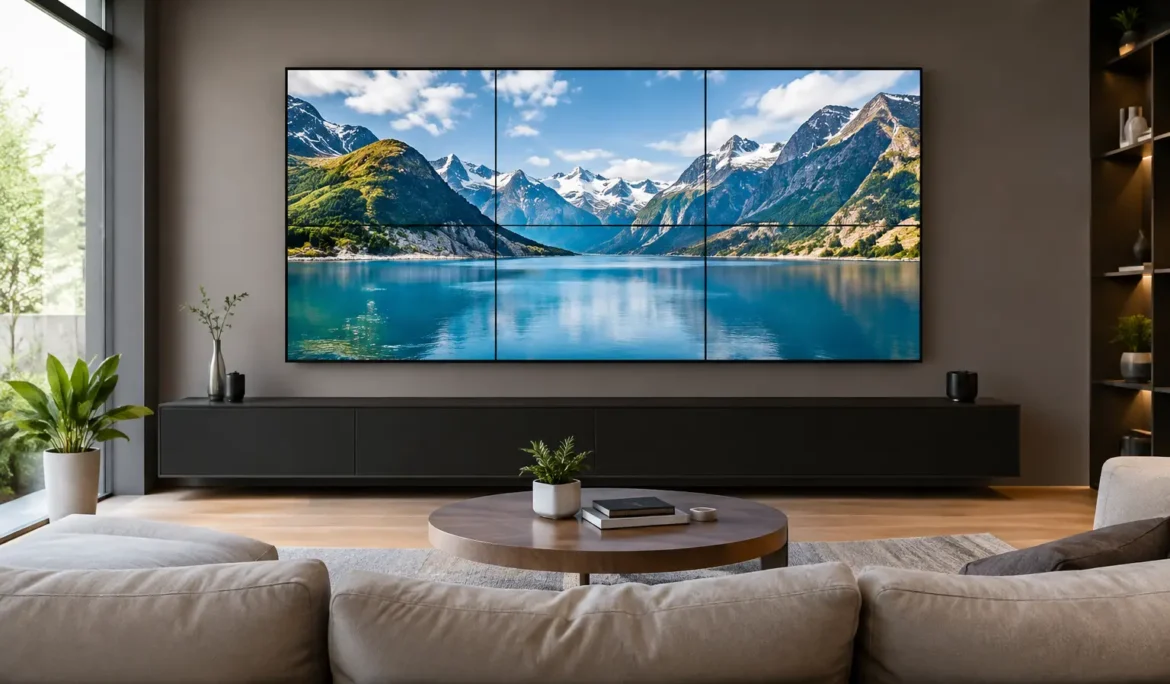
A large display can change the way a room feels before anyone presses play. This video wall for home guide helps homeowners plan a statement entertainment feature that looks intentional, performs reliably, and remains simple for the whole household to use. Whether it is designed for a family room, dedicated theater, game room, lounge, or covered outdoor space, the best result comes from treating the wall as part of the room, not simply a collection of screens.
What Is a Video Wall for the Home?
A home video wall uses two or more displays arranged as one larger visual canvas. Each screen shows a portion of the same image, creating an expansive display for sports, movies, gaming, artwork, security camera views, or multiple live events at once. Unlike a single oversized television, a video wall can be built in shapes and dimensions that suit the architecture of the space.
The appeal is obvious during a big game or movie night, but the everyday benefit is flexibility. A video wall can become a digital art display when not in use, show several games simultaneously, or provide a dramatic visual focal point in a finished basement or entertaining area. The trade-off is that it requires more thoughtful design than mounting one TV. Screen alignment, source distribution, ventilation, power, control, and room lighting all need to work together.
Start With the Room, Not the Screens
A video wall should support how you live in the room. Begin by considering the primary viewing position, the number of people who typically gather there, and whether the space is mostly used during the day, at night, or both. A bright open-concept great room has different needs than a light-controlled media room.
Viewing distance affects the right overall size and screen resolution. If viewers sit too close to a wall made from lower-resolution displays, individual pixels can become distracting. If the wall is too small for a large seating area, it loses the impact that makes the installation worthwhile. The ideal design feels immersive without forcing people to turn their heads constantly to follow the action.
Wall dimensions matter just as much. Account for furniture placement, fireplaces, doors, windows, artwork, and architectural details before choosing a configuration. A symmetrical 2-by-2 arrangement can be striking, but it is not automatically the right fit. A wider layout may better serve a sports-focused room, while a custom configuration can complement a long wall or built-in millwork.
Consider the Bezel Question
Most multi-screen video walls have visible bezels, or narrow borders, between panels. Premium commercial-grade displays can reduce these lines significantly, but they do not disappear completely. Some homeowners enjoy the bold, grid-like appearance, particularly when showing separate sports feeds or camera views. Others want one uninterrupted image for movies and may prefer a large direct-view LED display or a single oversized television instead.
There is no universal answer. The best choice depends on the content you value most and how prominent the display will be when the room is not in entertainment mode.
Choose Displays Built for the Job
Not every television is suited for video-wall use. Standard consumer TVs may work in limited applications, but they are not always designed for precise alignment, extended operation, consistent brightness, or professional video-wall processing. Displays intended for this purpose typically offer slimmer bezels, more uniform color performance, and settings that help the screens operate as a coordinated group.
Brightness is especially important in rooms with windows, skylights, or direct daylight. A display that looks excellent in a showroom or dark theater can appear washed out in a sun-filled living room. Lighting control can improve the experience, but the display selection should still match the room’s natural conditions.
Color consistency also deserves attention. Even screens from the same product line can look slightly different without calibration. A properly designed system is adjusted so skin tones, dark scenes, and bright sports fields look uniform across the full wall. This level of detail is what separates a polished installation from a collection of individually mounted screens.
Plan the Video Sources and Layouts
The content plan should guide the technology behind the wall. For a cinematic setup, you may want one source spread across every display. For sports and entertaining, the priority may be showing multiple cable, streaming, or gaming sources simultaneously. A processor manages those layouts, allowing the wall to switch between a single large image, equal-size windows, or custom arrangements.
Think through the moments you want to create. A family might use a full-screen movie layout on Friday night, then switch to four games during a Sunday gathering. A game room may dedicate one portion of the wall to a console while leaving space for live scores or music visuals. A security-focused view can place camera feeds on screen when desired, without making the wall feel like a commercial control center.
The user experience matters here. No one should need to select inputs on several remotes or troubleshoot which screen belongs to which source. A properly programmed control system reduces the process to a clear, familiar command such as “Watch Movie,” “Game Day,” or “Play Xbox.” The system handles the complex switching in the background.
Do Not Treat Audio as an Afterthought
A dramatic wall without capable sound can feel unfinished. The right audio system depends on the room and listening goals. A living space may benefit from discreet speakers integrated into the ceiling, walls, or cabinetry. A dedicated theater or media room may call for a more enveloping surround-sound design that places dialogue clearly and makes action scenes feel convincing.
Speaker placement needs to be coordinated with the video wall from the beginning. When displays occupy much of the front wall, there may be fewer obvious locations for a center channel or front speakers. Custom integration provides options that preserve both performance and clean design, including architectural speakers and carefully planned speaker locations around the display.
Acoustics are part of the equation too. Hard surfaces, glass, and open floor plans can create echo and reduce dialogue clarity. Furnishings, rugs, wall treatments, and speaker calibration can help make the space comfortable at normal listening levels rather than simply loud.
Build for a Clean, Reliable Installation
The visible displays are only one part of a video wall. Behind the wall are power connections, signal cabling, mounts, processing equipment, network connections, and ventilation considerations. Planning these elements before construction or renovation gives the installation a cleaner appearance and makes future service easier.
Heat management is particularly important. Multiple displays and processing components generate warmth, especially during long viewing sessions. Enclosed cabinetry or recessed installations need adequate airflow so equipment can operate consistently over time. Access panels and organized equipment locations also protect the homeowner from a frustrating reality: a beautiful wall that is difficult to service when a connection needs attention.
Network performance should be designed with the same care. Streaming multiple high-resolution sources, gaming online, and controlling the system from mobile devices all depend on stable connectivity. Reliable wired connections where appropriate, along with professionally designed Wi-Fi coverage, help the entertainment system respond as expected.
Use Lighting to Make the Wall Look Better
Room lighting can either elevate the display or compete with it. Glare from windows, overhead fixtures, and reflective surfaces may distract from darker scenes. Motorized shades can manage daylight at the touch of a button, while layered lighting creates a more comfortable viewing environment after sunset.
Accent lighting around millwork or behind the viewing area can add depth without reflecting directly onto the screens. The goal is not to darken every room completely. It is to give the homeowner easy control over the environment. A well-programmed scene can lower shades, adjust lights, and start the selected entertainment source in one action.
A Video Wall for Home Guide: When Professional Design Matters
A video wall combines display technology, audio, networking, automation, electrical planning, and interior design. That overlap is why a consultation early in the project is valuable, particularly for new construction or renovations. It allows the system to be designed around the room rather than squeezed into it later.
For homeowners in New Jersey and New York, Cine Acoustic helps translate the vision into a system that is practical to operate every day. The focus is not on adding complexity. It is on selecting the right display approach, designing the infrastructure behind it, and making the final experience feel natural from the first use.
The most satisfying video walls do more than impress guests. They make favorite entertainment easier to enjoy, create a focal point that suits the home, and give everyone in the room a reason to stay a little longer.