

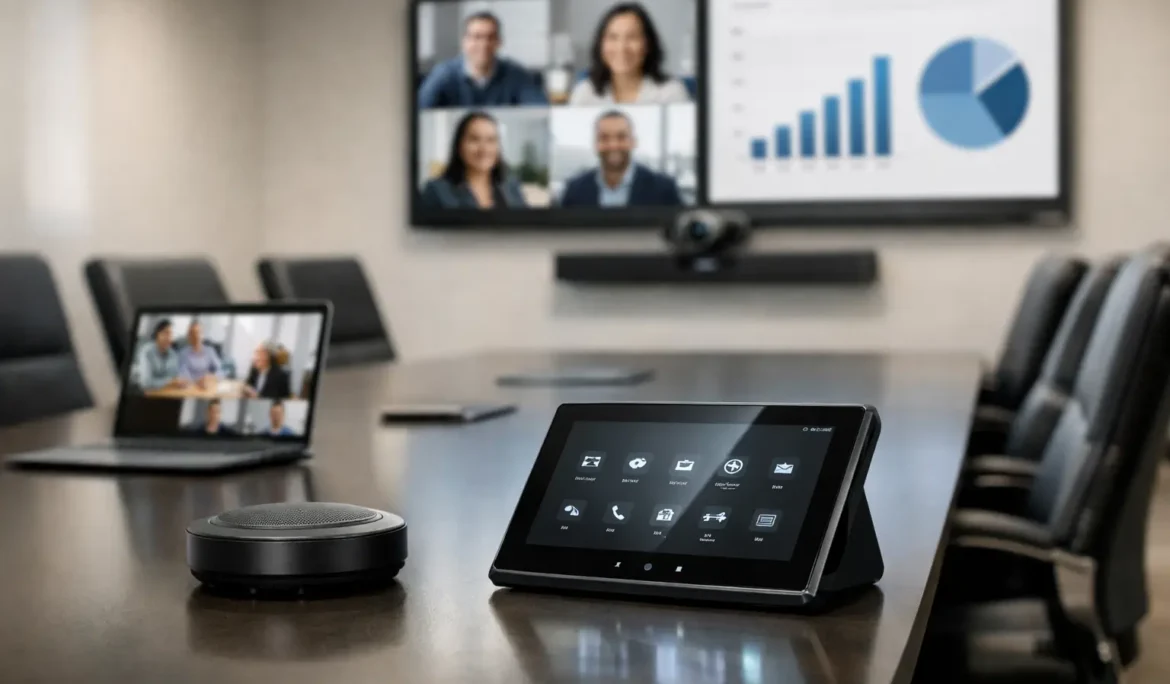
A meeting can lose momentum in the first two minutes when a display will not connect, voices sound distant, or the team has to search for the right remote. Effective conference room av integration removes those distractions. It brings video, audio, cameras, control, networking, and room design together so the technology supports the conversation instead of becoming the conversation.
For offices, client-facing meeting spaces, and executive conference rooms, the goal is not to fill the room with equipment. The goal is to create an experience that feels intuitive for every person who walks in, whether they are presenting from a laptop, joining remotely, or leading an important discussion across the table.
What Conference Room AV Integration Should Deliver
A well-designed conference room should be ready when the meeting begins. A user should be able to enter the room, connect or start a scheduled video call, adjust the presentation if needed, and focus on the people in front of them. That simple outcome takes careful planning behind the scenes.
The best systems combine a properly sized display or projection solution, clear room audio, a camera with useful framing, dependable network connectivity, and straightforward control. These elements must work together. A high-quality display will not solve a meeting where remote participants cannot hear the person seated at the far end of the table. Likewise, an excellent camera cannot compensate for poor lighting or a cluttered background.
Integration also protects the appearance of the space. Cables, adapters, power supplies, speakers, microphones, and control hardware should be considered early enough to be placed intentionally. This is especially valuable in conference rooms designed to impress clients, support leadership teams, or complement a carefully finished office interior.
Start With How the Room Will Actually Be Used
The right system depends less on a list of products and more on the room’s daily purpose. A small huddle room used for quick hybrid check-ins has different requirements than a boardroom hosting presentations, training sessions, and client reviews. Treating both rooms the same often creates either unnecessary complexity or an underperforming experience.
Begin with practical questions. How many people typically use the room? Will remote attendees be part of most meetings? Do employees bring their own laptops, use a dedicated meeting platform, or both? Is the room used primarily for video conferences, presentations, training, or collaborative whiteboarding? Will guests need to use it without assistance?
A room used by outside clients should favor simple, clearly labeled operation. A leadership room may benefit from more advanced presentation options, camera presets, and discreet control of lighting or shades. In either case, the technology should reflect the workflow rather than force users to adapt to a complicated system.
Room Size Changes the Design
Display selection is a common example. A screen that looks impressive in a small room can be overwhelming at close range, while an undersized screen makes detailed spreadsheets and presentations difficult to read. Viewing distance, seating layout, window placement, and ambient light all affect the right choice.
Audio needs change with room dimensions as well. In a compact space, an all-in-one video bar may provide an excellent experience. In a larger conference room, distributed speakers and strategically placed microphones may be needed so everyone is heard naturally. The objective is consistent intelligibility, not simply more volume.
Audio Is the Part Participants Remember
People may tolerate a slightly imperfect video image. They rarely tolerate poor audio for long. Echo, background noise, muffled voices, and uneven microphone coverage make remote participants feel excluded and make in-person attendees work harder to follow the discussion.
Professional conference room AV integration considers both capture and playback. Microphones should pick up each speaker without requiring them to lean forward or raise their voice. Speakers should reproduce remote voices clearly without creating feedback. Digital signal processing helps manage echo cancellation and level balancing, but it must be matched to the room and installed correctly.
Acoustics matter, too. Hard surfaces, glass walls, exposed ceilings, and large tables can create unwanted reflections. A beautiful modern room may need thoughtful acoustic treatment or equipment placement to avoid sounding harsh and hollow. The answer is not always adding more AV equipment. Sometimes it is coordinating technology with the room’s architectural finishes from the start.
Video Must Make Remote Attendees Feel Present
The camera should do more than show a wide view of a room. It should create a useful, professional perspective for remote participants. Camera placement, lens angle, room depth, lighting, and seating arrangement all influence what the person on the other end sees.
For smaller rooms, a fixed wide-angle camera can work well when it captures every seat without excessive distortion. Larger rooms may benefit from a camera that can frame speakers or shift between useful viewpoints. Automatic speaker tracking can be helpful in training rooms or active presentations, but it is not necessary for every environment. A predictable camera view may be the better choice when meetings are mostly seated conversations.
Lighting deserves equal attention. A camera facing bright windows can turn speakers into silhouettes. Overhead lighting that is comfortable in person may create glare on a display or unflattering shadows on camera. Coordinated lighting control, window shades, and AV settings can make the room more comfortable for both local and remote attendees.
Make Control Simple Enough for First-Time Users
The most capable system is only valuable if people can operate it confidently. Conference rooms often serve employees, visitors, and teams with different levels of technical comfort. A clean, logical control experience prevents meeting delays and reduces support calls.
For many rooms, a dedicated touch panel with a few clear choices is the right approach: start a meeting, share content, control volume, and end the session. More advanced functions can remain available without cluttering the main screen. In smaller spaces, simplified controls built into the meeting device may be enough.
The choice depends on the number of sources, display options, room functions, and expected users. A room that also controls multiple displays, motorized shades, lighting scenes, or video conferencing equipment benefits from centralized control. A basic room may need less. Good design avoids adding features simply because they are available.
Build Reliability Into the Infrastructure
Many meeting problems are blamed on the AV system when the real issue is the network, power, or cable infrastructure behind it. Video calls place steady demands on connectivity, and wireless presentation depends on a stable Wi-Fi environment. A thoughtful installation accounts for bandwidth, network segmentation, access points, wired connections, and secure guest access where appropriate.
Physical infrastructure matters just as much. Proper cable management, accessible equipment locations, ventilation, and serviceable connections make the system easier to maintain over time. Equipment hidden behind finished walls or sealed into cabinetry without a plan for access can turn a minor adjustment into a disruptive project.
It is also wise to plan for change. Conference platforms, laptops, display standards, and workplace needs evolve. Selecting an approach that allows for practical updates can extend the useful life of the room without requiring a complete redesign every time a workflow changes.
Coordinate AV Early in New Construction and Renovations
Conference room technology works best when it is part of the design conversation before walls close and finishes are selected. Early coordination allows displays to sit at the right height, speakers and microphones to be located correctly, wiring to stay hidden, and furniture to support clear sightlines.
This is where a consultative integration partner adds real value. Cine Acoustic works with clients and project teams to translate how a space needs to function into a cohesive technology plan, while preserving the room’s visual character. The focus is not on adding visible gear. It is on creating a space that feels polished, dependable, and easy to use.
Retrofit projects can still achieve excellent results, but they require an honest assessment of what the existing room allows. Sometimes a wireless presentation solution reduces the need for new cabling. In other cases, modifying furniture, improving acoustics, or relocating a display produces a better result than attempting to conceal every component.
A Better Meeting Starts Before Anyone Joins
The strongest conference room systems feel almost invisible. Participants walk in, connect quickly, hear each other clearly, see the right content, and leave the room ready for the next meeting. That outcome comes from careful design, professional installation, and support from a team that understands both the technology and the people using it.
When your conference room is planned around real conversations rather than a pile of devices, every meeting has a better chance to begin with confidence.