

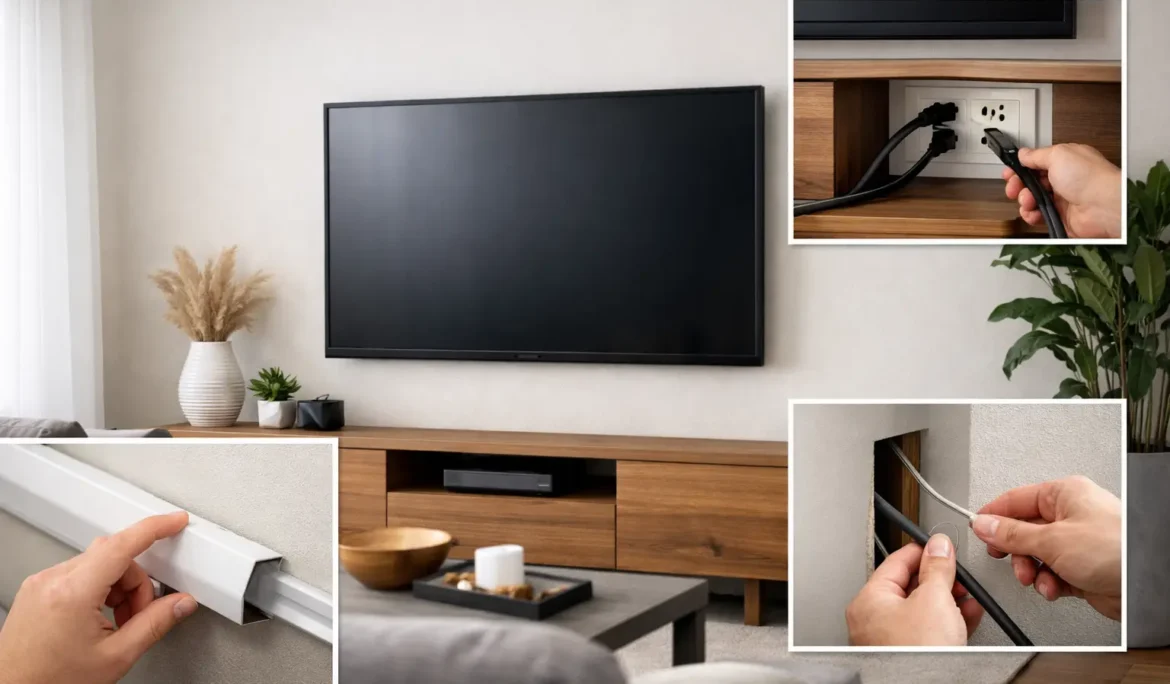
A beautifully mounted television can still look unfinished when a bundle of black cords drops from the screen to the floor. Learning how to hide TV wires cleanly is less about covering a few cables and more about planning a system that looks intentional, remains safe, and is easy to service when your equipment changes.
For a living room, media room, or dedicated home theater, the best approach depends on the wall construction, the location of your components, and whether the space is finished, being renovated, or still in the design phase. The cleanest installation is usually the one that considers power, signal cables, ventilation, and future upgrades together.
Start With the Equipment Plan, Not the Cables
Before choosing a wire-hiding method, identify everything the television needs to connect to. A simple setup may only require power and one HDMI cable. A more complete entertainment system may include a streaming device, game console, cable box, soundbar, AV receiver, network connection, control system, or distributed audio components.
This matters because every visible cord represents a decision that was deferred. If a soundbar will sit below the TV, for example, it may need its own power connection and a concealed audio or HDMI cable. If source equipment is placed in a nearby cabinet or rack, several cables may need to travel from that location to the display. Planning the full path first prevents a tidy wall from becoming cluttered again after the next device is added.
It is also wise to allow room for the future. A properly sized conduit or low-voltage pathway can make it much easier to replace an HDMI cable, add a network line, or support a new display later without opening the wall.
The Cleanest Choice: Concealed In-Wall Wiring
For a wall-mounted television, concealing low-voltage wiring inside the wall creates the most polished result. HDMI, Ethernet, speaker wire, control wire, and other approved low-voltage cables can be routed through the wall between recessed wall plates or brush plates. The result is a display that appears to float, without exposed cables distracting from the screen or the room design.
Power requires more care. A standard TV power cord should not simply be run through a wall cavity. Electrical codes and product safety requirements exist for a reason. Instead, a qualified installer can provide a code-compliant recessed power solution behind the TV, with power brought to the appropriate location through approved methods.
This is an area where professional planning is especially valuable. The right installer will consider stud placement, exterior-wall insulation, fireplace construction, existing electrical circuits, and the exact position of the wall mount. They can also make sure the television sits at a comfortable viewing height while placing connections where they remain accessible.
Why recessed boxes make a difference
A recessed power box and low-voltage plate allow the TV to sit closer to the wall. This is particularly important with slim displays and low-profile mounts, where even a small plug or cable bend can prevent the screen from sitting flat. Recessed connections create a cleaner profile and reduce strain on HDMI and power connections.
The installation should still leave a practical service path. Equipment changes, cables fail, and technology evolves. A polished installation is not one that hides every connection permanently. It is one that keeps connections out of sight while allowing them to be reached without unnecessary demolition.
Use a Surface Raceway When Opening the Wall Is Not Practical
Not every room is a candidate for in-wall wiring. Concrete, brick, stone, tile, specialty wall finishes, and certain fireplace surrounds can make concealed cable routing difficult or undesirable. In an existing space where opening the wall is not practical, a paintable surface raceway is often the right answer.
A raceway is a slim channel that covers cables as they travel down the wall. When sized correctly, installed straight, and painted to match the wall color, it looks far more refined than loose cords. It is also easier to access than in-wall wiring, making it useful for renters, temporary configurations, or rooms that may change later.
The trade-off is visibility. Even a well-finished raceway is still a surface-mounted element. It works best when it follows a natural vertical line beneath the TV, aligns with trim or cabinetry, or disappears into a design feature. Avoid overfilling it. A bulging channel or a raceway with a loose cover quickly defeats its purpose.
Let Furniture and Millwork Do Some of the Work
A media console can conceal much of the wiring below a TV, but it needs to be designed for more than storage. The back of the cabinet should have cable pass-throughs, adequate ventilation, and enough interior depth for equipment plugs and cable bends. A tightly packed cabinet can trap heat around components and turn simple troubleshooting into a frustrating task.
Built-in cabinetry offers even more flexibility. Cables can travel within millwork, through a chase behind paneling, or into a dedicated equipment compartment. This approach is especially effective for feature walls, family rooms, and home theaters where the television, speakers, and controls need to feel integrated with the architecture.
If the TV is mounted above a fireplace, planning becomes more important. Heat, masonry, viewing height, and limited cable pathways can all affect the installation. The display should be positioned for comfortable viewing and protected from excessive heat, rather than mounted high simply because the fireplace is the only available focal point.
Keep Cables Organized Behind the Screen
Hidden cables can still create problems if they are tangled, pinched, or too short behind the TV. Leave enough slack for the television to move on an articulating mount, but not so much that loops spill into view. Use purpose-made cable management straps or mounts to guide wires along the bracket and keep their weight off connection ports.
Avoid tightly bending HDMI cables, especially near the connector. Use appropriately rated, reliable cables for the distance and signal requirements involved. For longer runs, the cable type matters even more, particularly when supporting high-resolution video, gaming systems, or advanced audio formats.
Do not bundle power cables tightly with low-voltage signal cables where it can be avoided. Separating them helps keep the installation organized and can reduce the chance of signal interference in certain setups. Labeling each cable at both ends is a small step that can save significant time when a device needs to be replaced or serviced.
Move the Components Away From the TV When It Makes Sense
A wall-mounted TV does not need to be the home for every entertainment device. In higher-performance systems, source equipment can be placed in a ventilated cabinet, closet, or dedicated equipment rack nearby. This reduces clutter at the display and keeps game consoles, streaming devices, cable boxes, and AV components from competing with the room’s design.
Remote control and automation systems can make this arrangement simple to use. Instead of opening a cabinet and sorting through remotes, the homeowner can control the room from one interface while the equipment remains out of sight. A wired network connection can also provide greater reliability than relying on a wireless signal at the TV location.
For homeowners who want a refined result without managing the technical details, Cine Acoustic can design the TV location, wiring routes, equipment placement, and control experience as one coordinated system.
Common Mistakes That Make TV Wiring Look Messy
The quickest fix is not always the cleanest or safest one. Adhesive clips may work for a lightweight temporary cable, but they can loosen over time and leave cords exposed. Extension cords should not be concealed inside walls. Power strips should not be buried behind inaccessible TVs or inside spaces without adequate ventilation.
Another common mistake is installing a TV mount before confirming the stud layout and cable path. Once the screen is on the wall, moving it to accommodate a hidden outlet or a low-voltage plate becomes more difficult. It is better to mark the display height, mount location, connection positions, and furniture relationship before drilling.
Finally, do not overlook the network. A television can look perfectly installed yet still deliver a disappointing experience if streaming buffers or smart-home controls respond slowly. When the wall is open, running a network cable to the display location is often a smart long-term decision.
A clean TV wall should make the technology feel effortless, not make it disappear at the expense of access, safety, or performance. When the wiring is planned as carefully as the screen placement, the room stays ready for movie nights, game days, and the next upgrade that comes along.